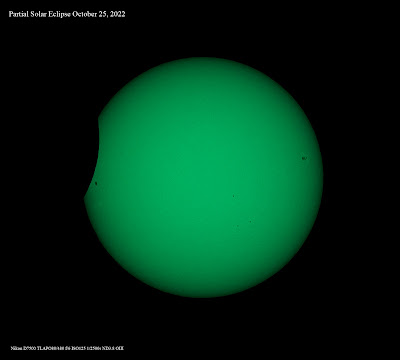
Picture of the partial Solar Eclipse of October 25, 2022, taken a couple of minutes before the end of the eclipse. The green color is because I'm using an OIII filter on top of a ND3.8 filter.
I already was using WinJUPOS to find timings when the Great Red Spot would show up. Now I used WinJUPOS to derotate my Jupiter images. As a reference I used the instructions from Info-Polaris July-September '22 number 156.:
choose planet "Jupiter" under Program - Celestial Body
open image and add coordinates and exact date
choose adj tab and select outline frame - automatic detection
save the file - be aware not select LD compensation
start dereotation sequence by choosing Tools and derotation images
with edit add new images
select exact timing for rotation period and select image extention (tiff)
compile image and your are ready
Editing and compiling 9 Jupiter Ser files from October 2, 2022 UT20h24-UT20h39. LD during derotation set on level 0,01. Final editing using CS4 and DeNoise AI


.jpg)


